


Where should I start when adding presentation content in Smallppt?
Updated over 2 months ago
How to Add Content to Presentations in Smallppt
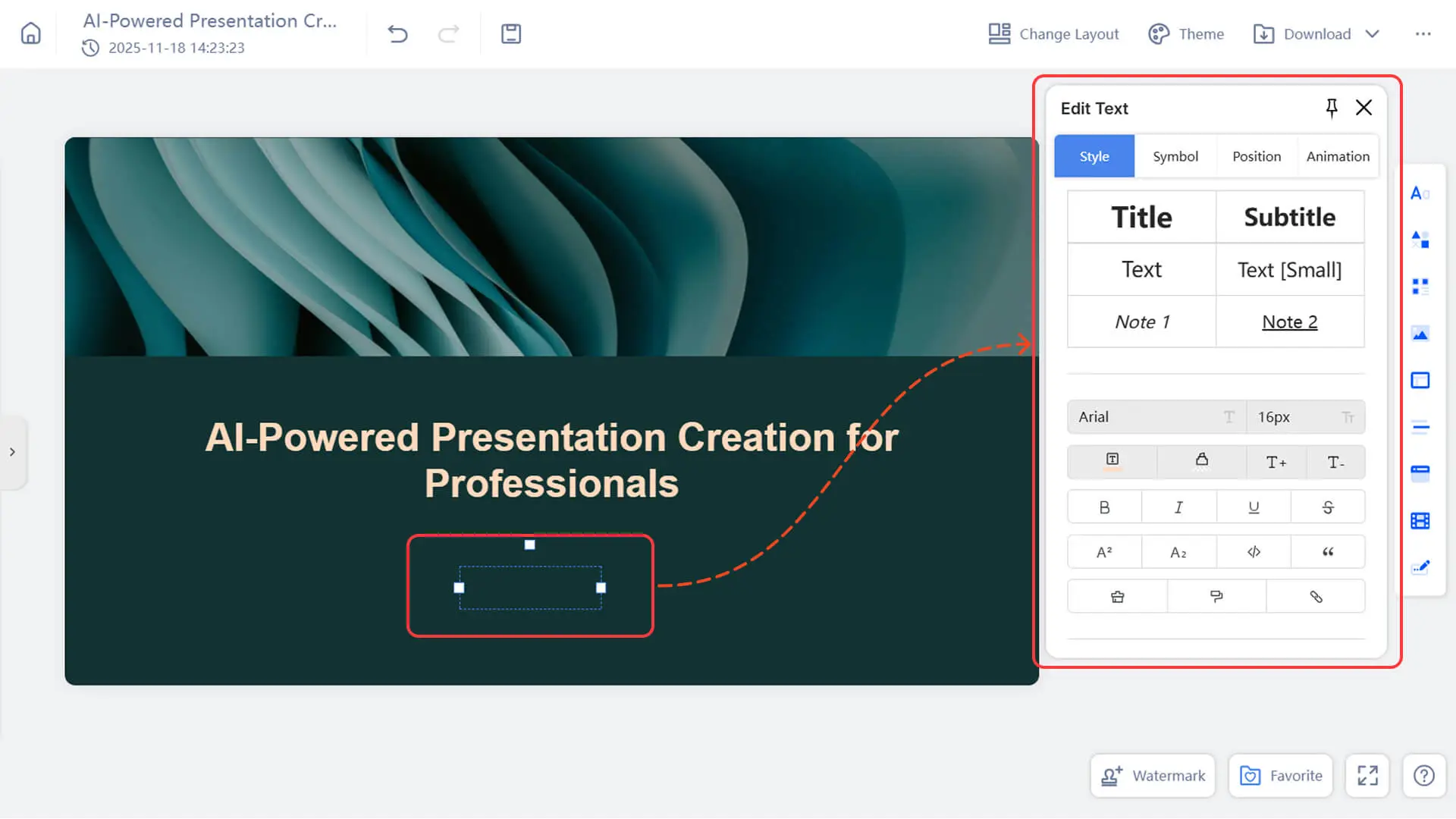
Option 1: Enter text directly in the card
- 1. Double-click anywhere inside the card.
- 2. Start entering your text.
3. Use the toolbar that appears to format the text.
Option 2: Drag content from the "Insert" menu
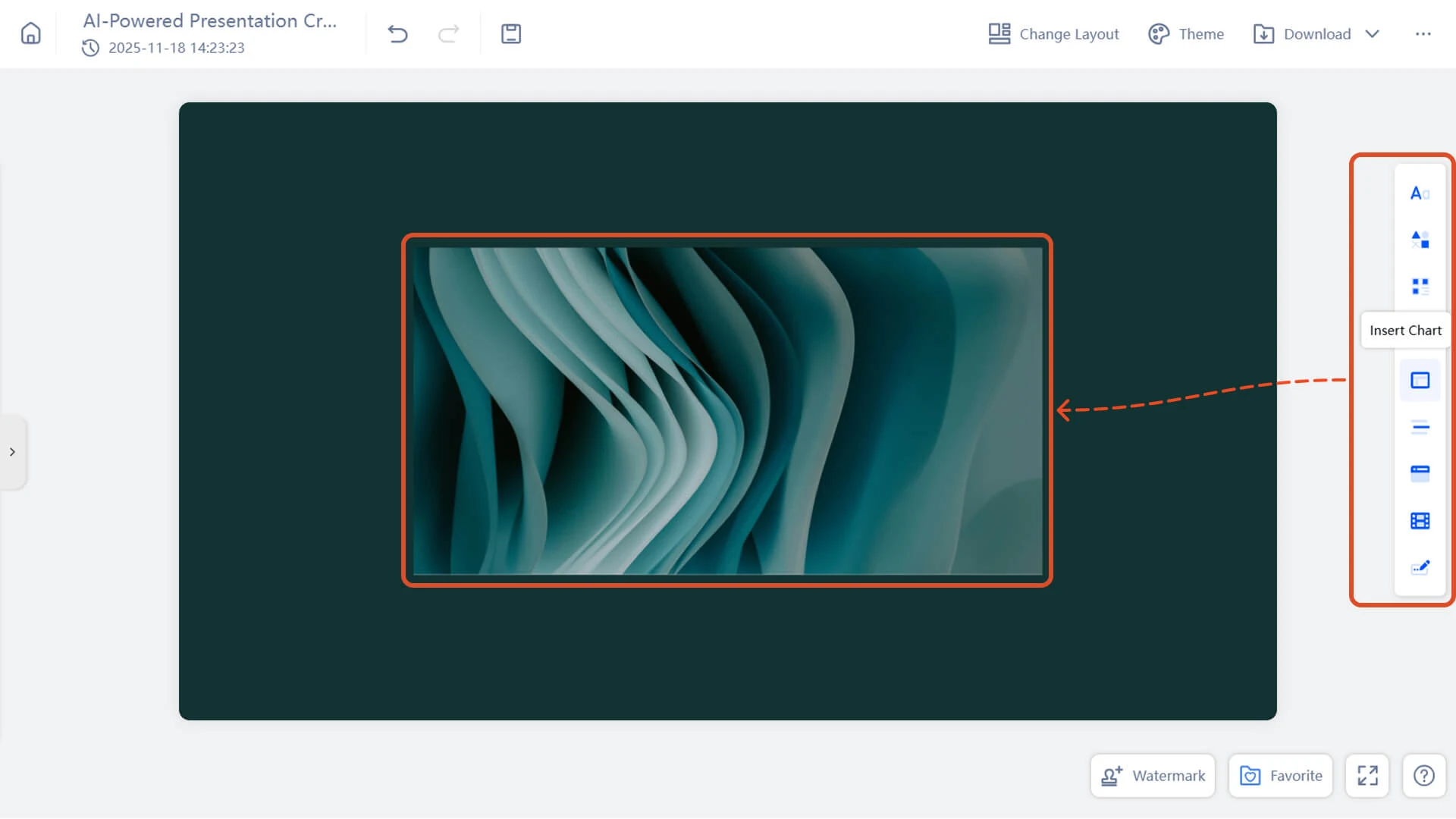
- 1. Open the "Insert" menu on the right side of the screen.
- 2. Drag images, videos, embedded content, or other media into your content area.
3. Adjust the content's position as needed.
- 4. To learn more, please visit:
Tip: Click the button in the top right corner to pin the "Insert" menu, keeping it open so you can efficiently add multiple items without having to reopen it each time.
Option 3: Add content via the "+ Add Slide" button
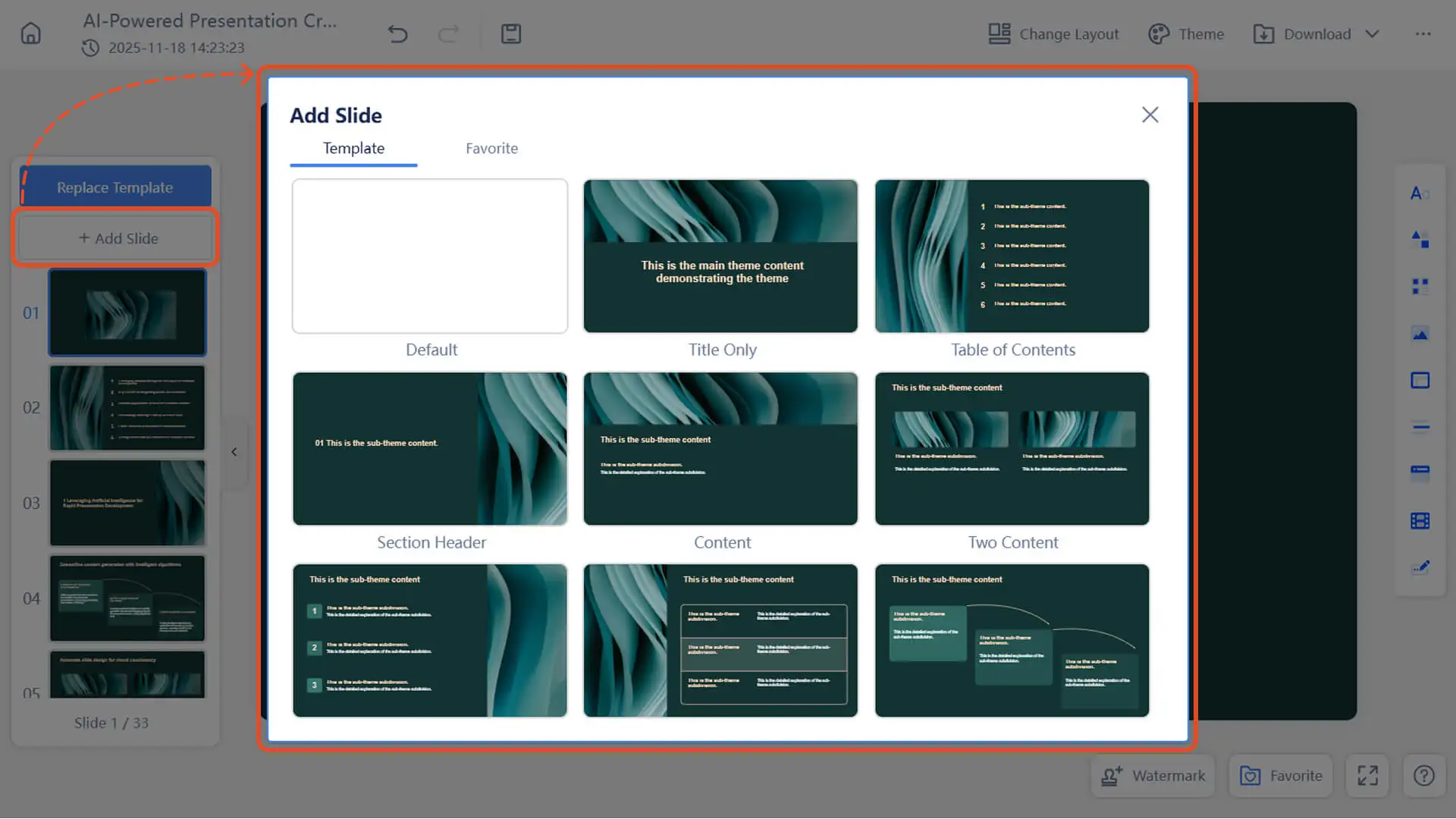
- 1. Click the "+ Add Slide" button in the left slide panel.
- 2. Select "Add from Favorites" to insert content you previously uploaded.
3. Alternatively, insert a layout card from the template.
- 4. To learn more, please visit:
Note: Template layout cards are not yet supported in Creative Slides mode.
Frequently Asked Questions
Why isn't the content I edited saved?
- • Please be sure to click Save in a timely manner.
- • If you encounter network issues or other problems, you can restore to the previous version through the version history.
Why does the image become distorted after replacement?
- • Ensure that the uploaded image has the same aspect ratio as the image being replaced.
- • Alternatively, add a new image instead of replacing it.
How can I add animation effects to my presentation?
- • Click any element on the slide, then select an animation in the editing panel to add an animation effect to that element.
- • Click on the slide background, then select "Transition" in the editing panel to add a page transition effect.
Note: These effects are currently only available in online mode and do not support exporting files.
Why can't I replace the icon?
- • Ensure that the icon is in SVG format or insert it via the "Insert Icon" option.
- • Some icons are in PNG format for aesthetic reasons and cannot be replaced. You can edit them using an image editor.