


How to quickly view your history?
Updated over 5 months ago
How to view your history?
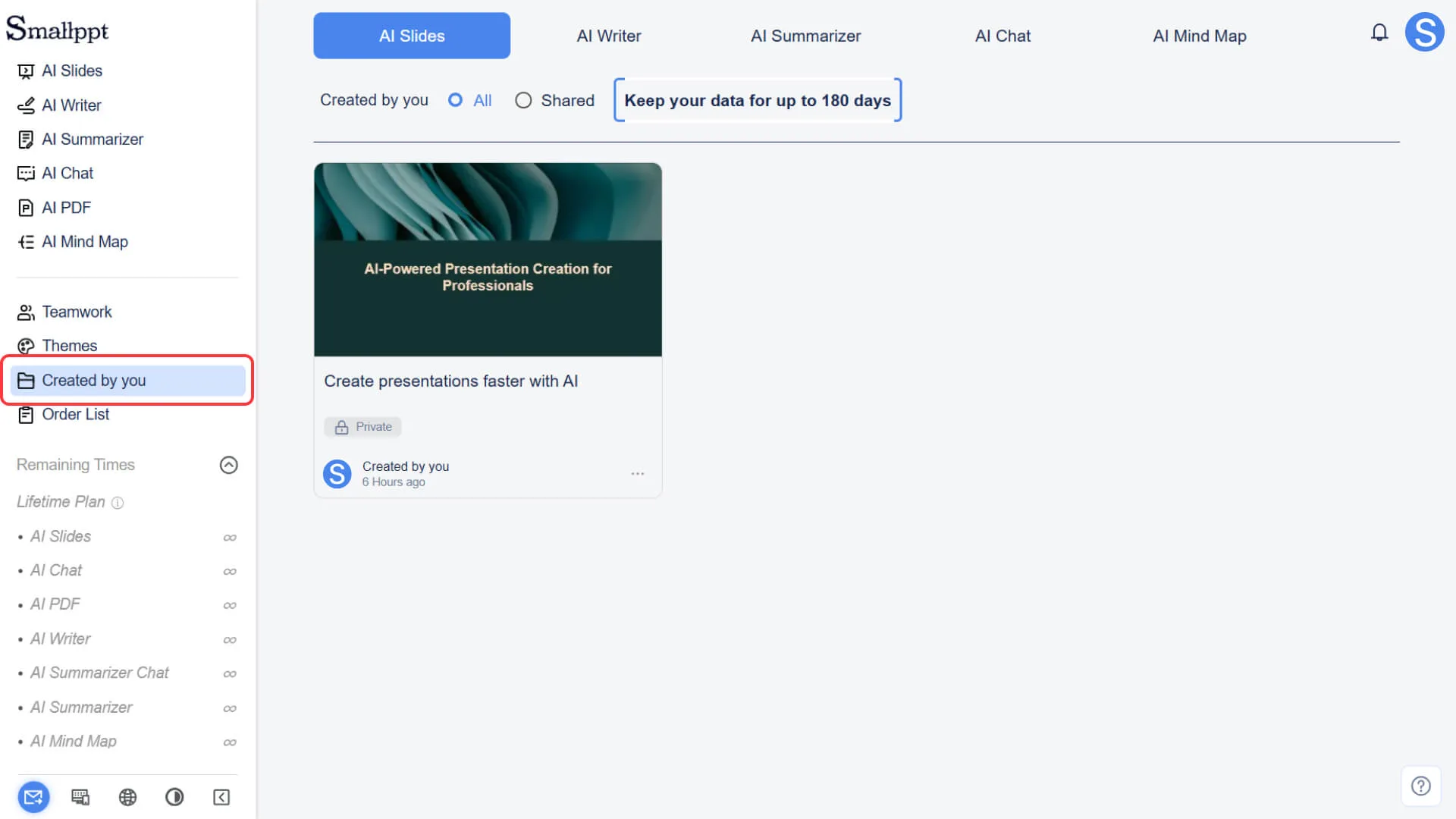
Step 1: Open the "Created by you" option
- • Click the "Created by you" option in the left navigation bar of the dashboard
• "Created by you" means files created by you, whether they are presentations or content generated by AI features, can be found here.
Step 2: View Generation Records
• In the list, you can view records of corresponding functions based on the classification of the records
• Each record will display the creation time and name.
• Explanation of Storage Duration:
• Unsubscribed users: Records are only retained for 7 days
• Subscribers or former subscribers: Records are retained for 180 days (counted from the creation of the record)
Step 3: Manage Your Records
Manage AI Slides Presentations
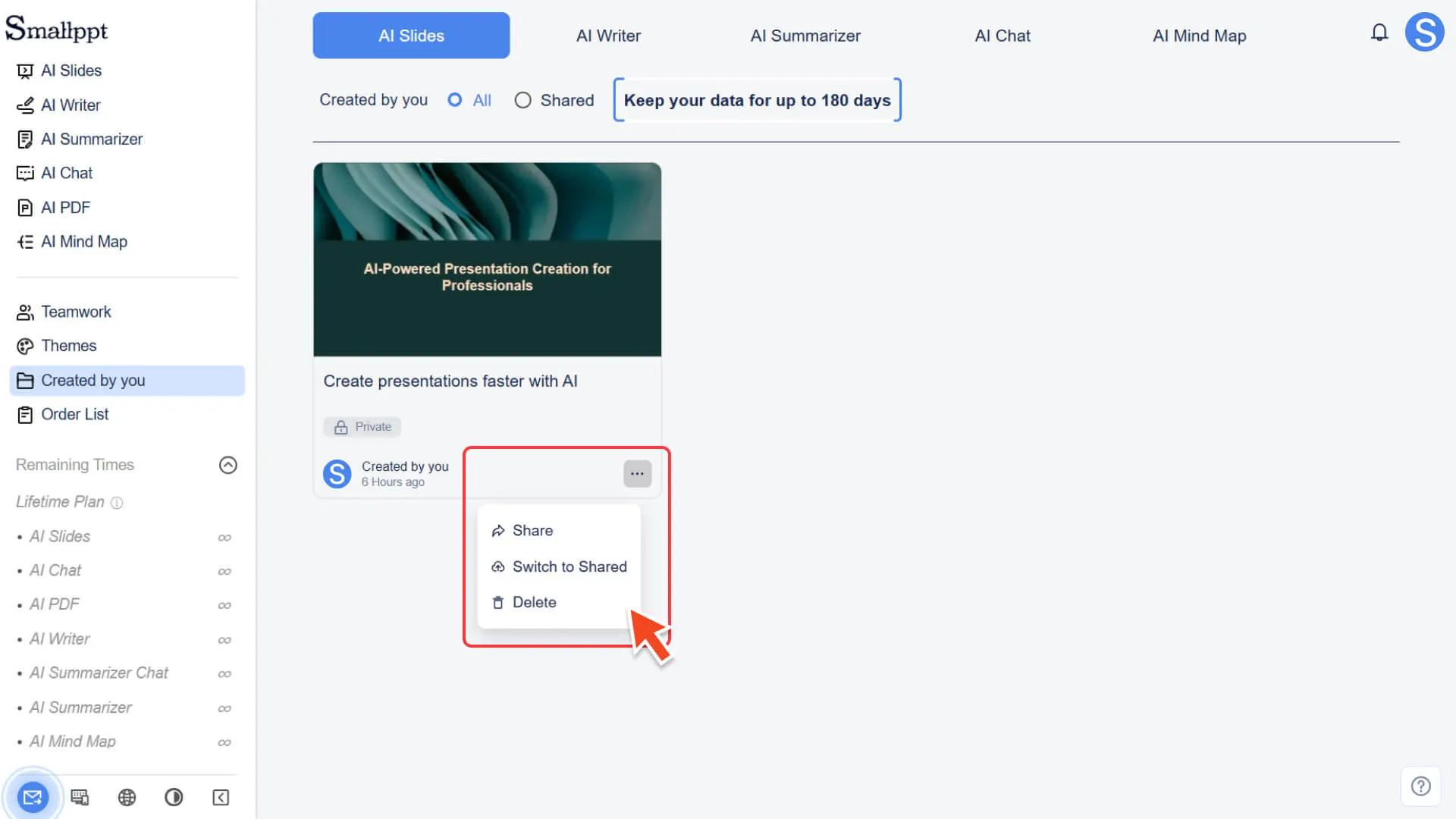
In the AI Slides record, there is a three-dot menu (···) in the bottom right corner of each presentation. After clicking it, you can use the following operations:
• Share: Share the presentation via social media or link
• Delete: Delete presentations that are no longer needed
• Transition to Shared State:
• Team users can change a presentation from Private to Shared, allowing team members to view and collaborate.
• Presentations created by individual users are set to Private by default and cannot be shared or edited by others.
Delete Record
• Except for AI Slides, records generated by all other features only support deletion operations.
• Click the delete button on the right side of the record to remove unwanted content.
Frequently Asked Questions
Does AI PDF have a history?
- • The AI PDF history feature is not currently supported.
How long will my records be retained after the subscription expires?
- • As long as you have ever subscribed, the generated records can be saved for 180 days (starting from the record creation date), even if the current subscription has expired.