


How to contact Smallppt customer service or submit feedback?
Updated over 3 months ago
How to contact Smallppt customer support?
Step 1: Open the Smallppt homepage
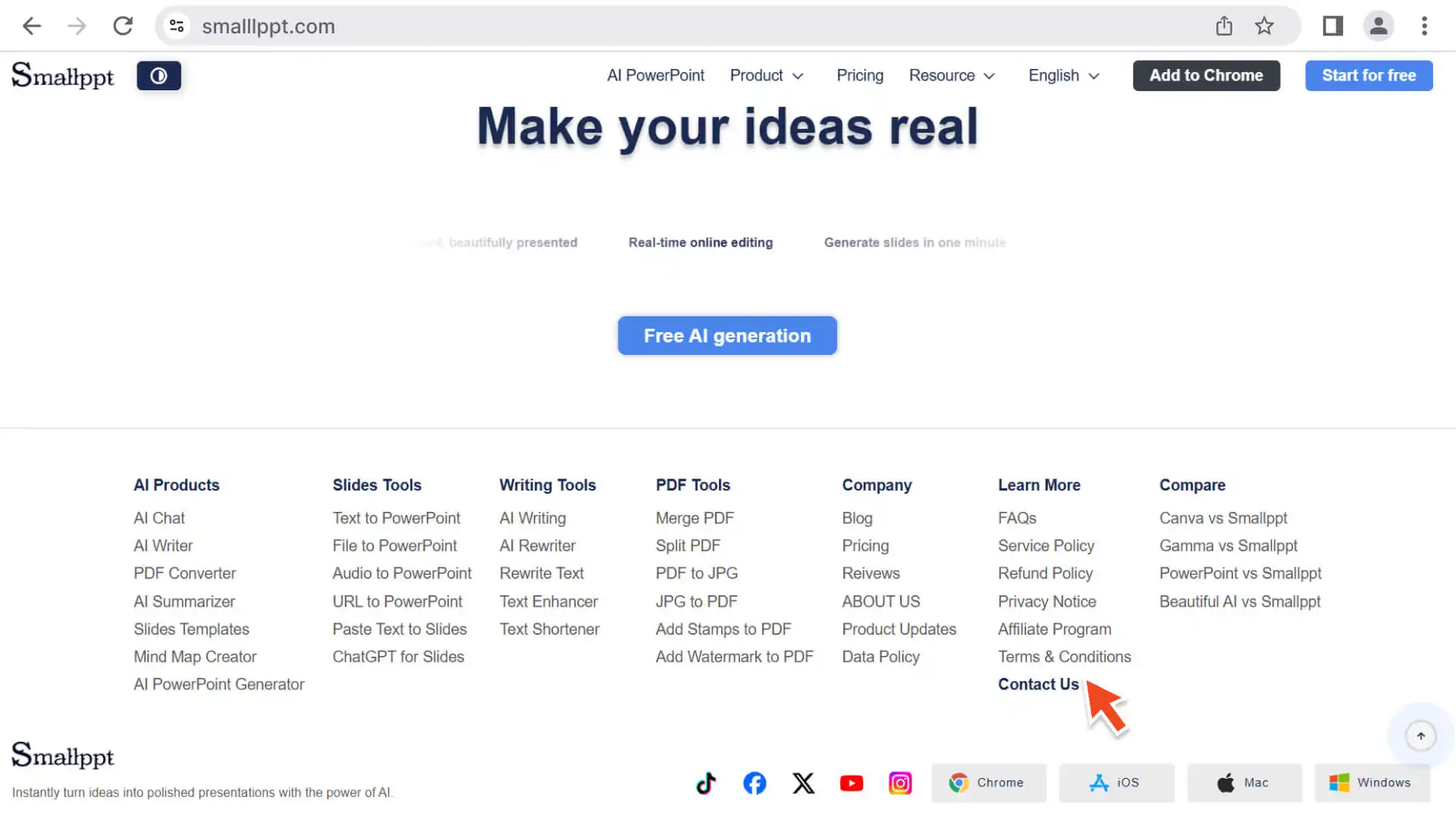
Step 2: Find the customer service entry
- • Scroll to the bottom navigation bar on the home page and click Contact Us.
• Can be used without logging in.
Step 3: Fill in the email content
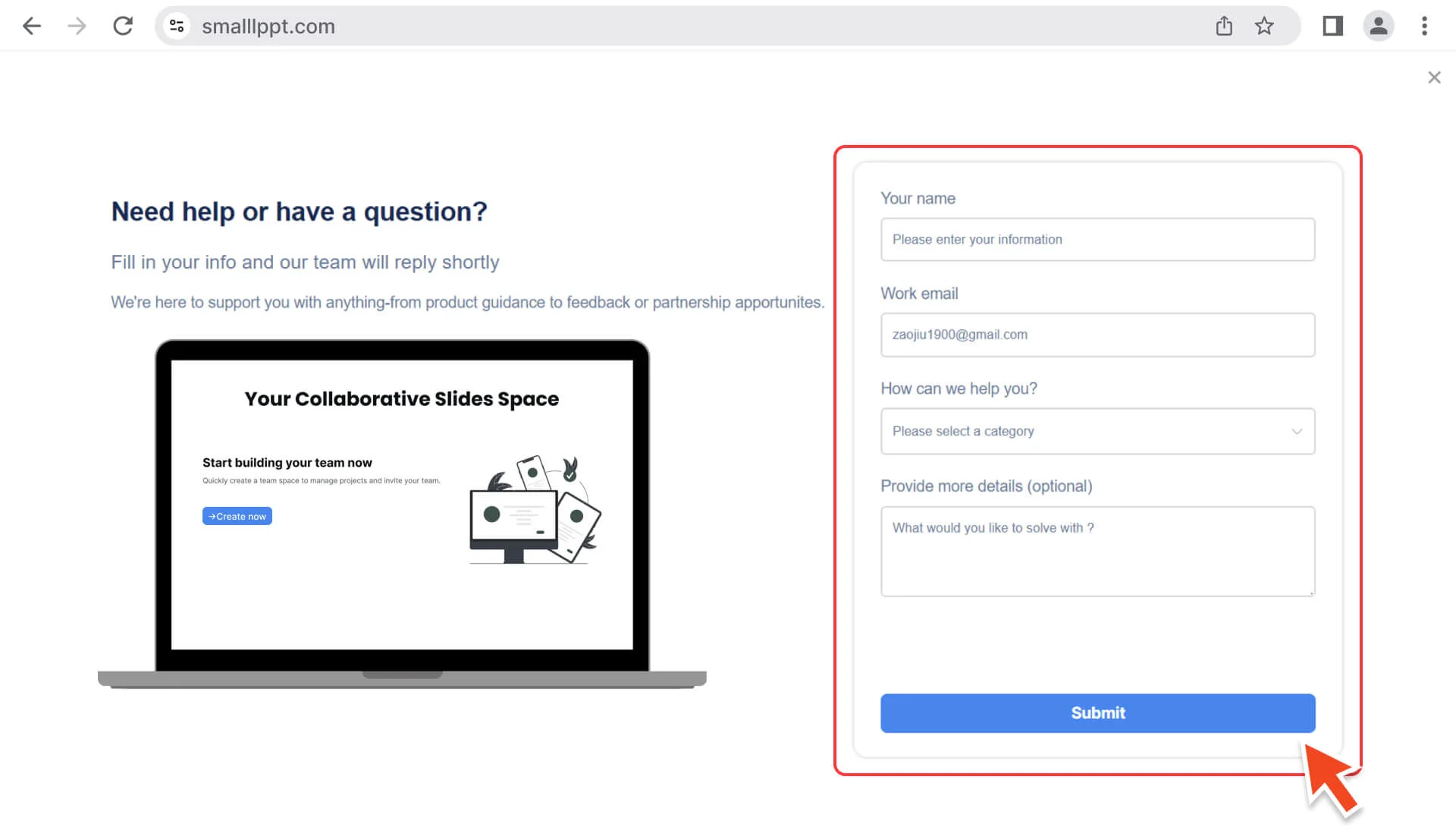
- • Describe your problem or request in the pop-up email form.
• may include account issues, technical problems, or other requests that require prompt handling.
Step 4: Send Email
- • Click the Send button, and the email will be submitted to the customer service team.
- • The customer service team will review and respond as soon as possible.
Note: Due to time differences or weekends, you may receive a reply approximately 24 to 48 hours after the email is sent.
How to submit feedback?
Step 1: Open Smallppt
- • Log in to your Smallppt account.
Step 2: Access the Help Option
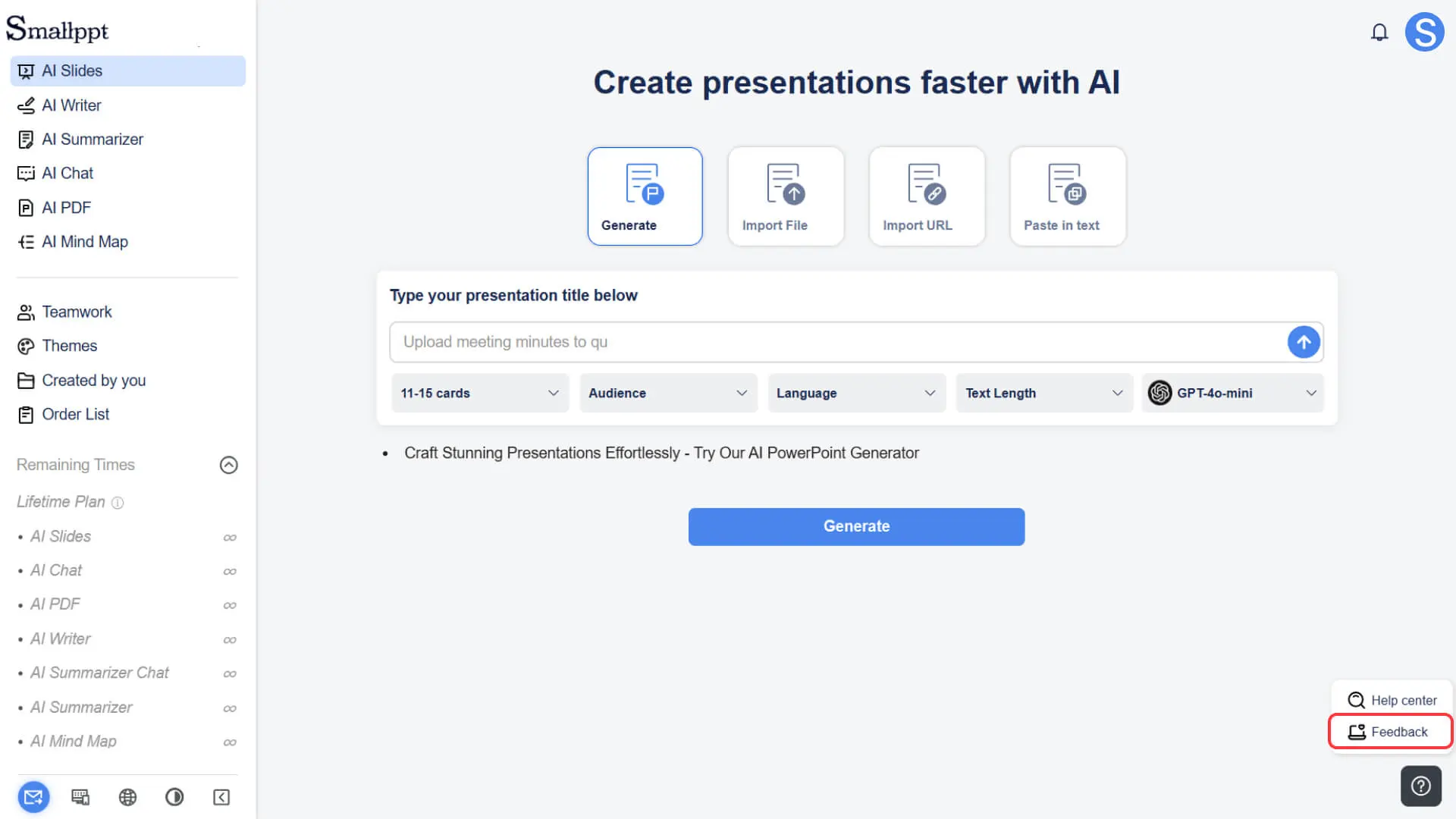
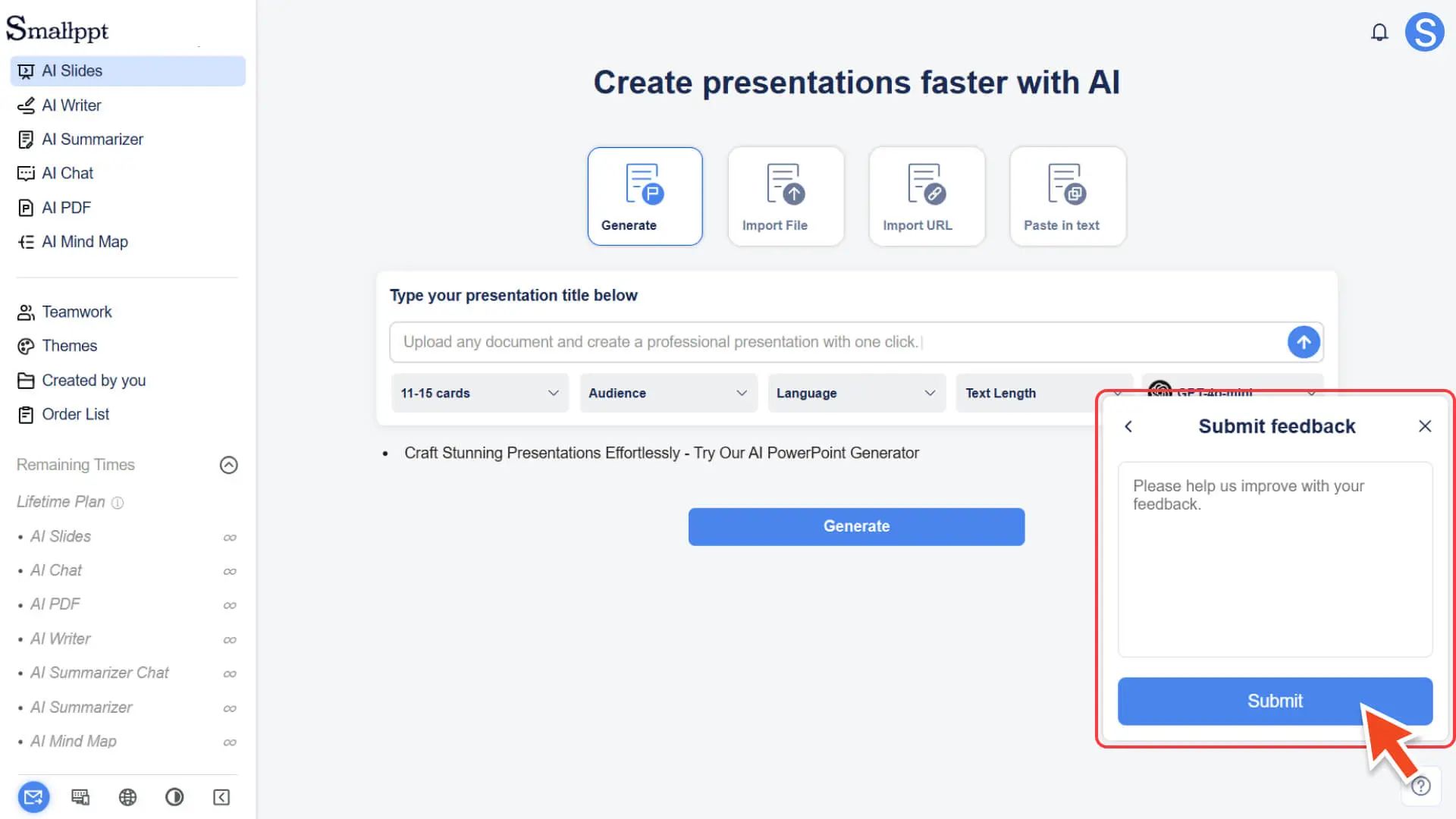
• After successful login, click the question mark in the bottom right corner of the Smallppt dashboard screen.
Step 3: Select the feedback function
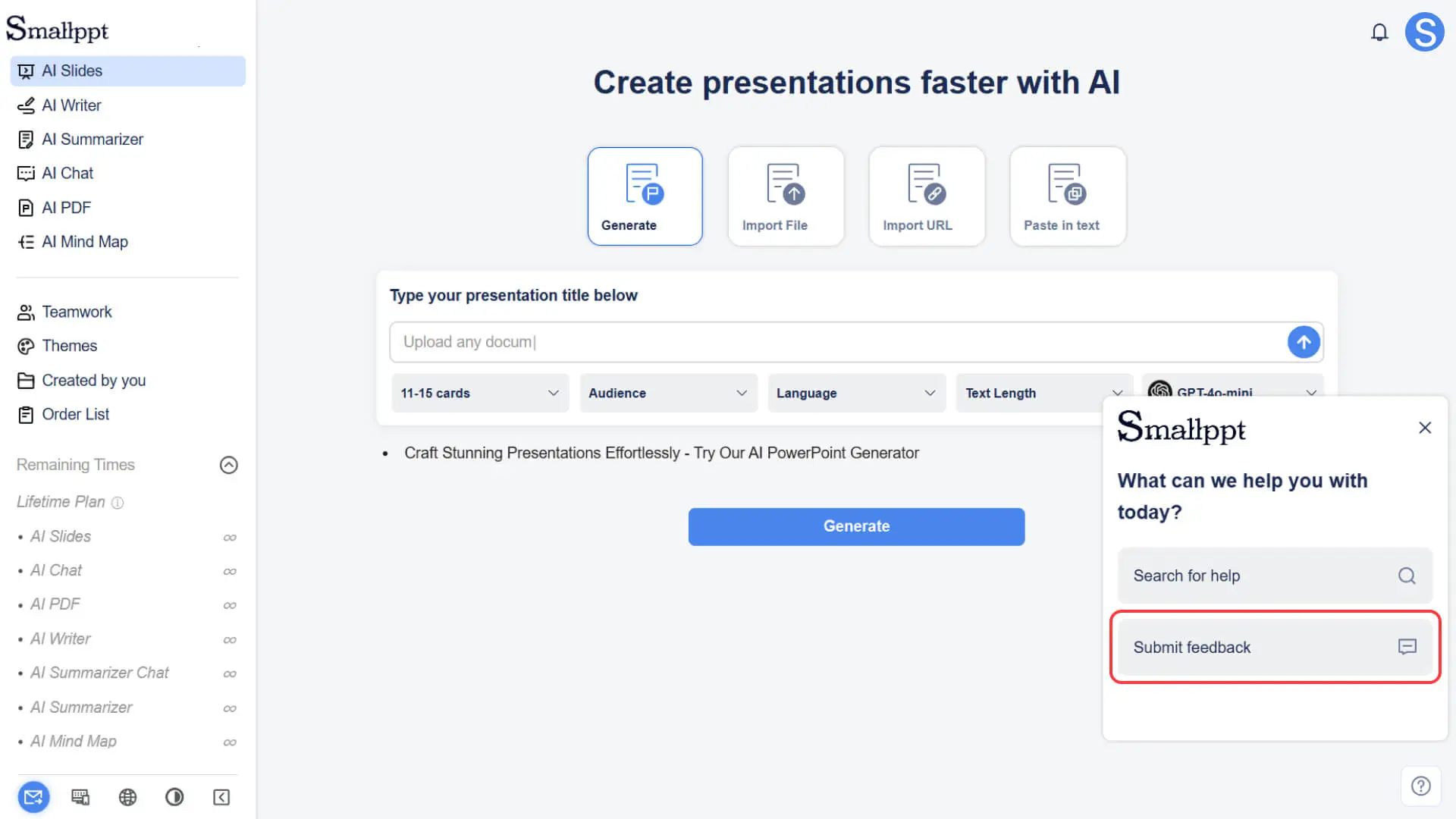
• In the pop-up help menu, click "Feedback". This will open a support form where you can describe your feature suggestions, optimization ideas, or thoughts.
Step 4: Submit Feedback
• After clicking "Send", your feedback will be submitted to the product team, which will optimize and improve the product based on these suggestions.
Frequently Asked Questions
What is the difference between contacting customer service and submitting feedback?
- • Contact Customer Service: Used to resolve technical issues or accounting problems, and customer service will respond promptly.
- • Submit Feedback: Used to propose feature suggestions or product improvement ideas.
Is it necessary to log in to contact Smallppt customer service?
- • No login is required, and any user can send an email via the Contact Us in the bottom navigation bar of the homepage.