


How can I quickly change my slide template?
Updated over 2 months ago
What is the Replace Template feature?
Replace Template is a feature provided by Smallppt that allows users to replace the template style and layout of the current slide entirely with another template while retaining the outline content, quickly achieving a global visual update of the presentation.
• One-click to switch templates and layouts, saving time on regenerating presentations.
• Preview different template styles and layouts to quickly select the most suitable design.
• Keep the slide outline content, and do not need to re-enter the text.
Only applicable to presentations generated by Instant Slides generation; team-shared presentations are not available. Replacing the template will reset the content of the current slide, but it can be restored via version history.
How to use the Replace Template feature?
Step 1: Enter the editing page
After generating Instant Slides, the system will automatically enter the editing page.
Step 2: Select a Template
• Click the Replace Template button in the left filmstrip.
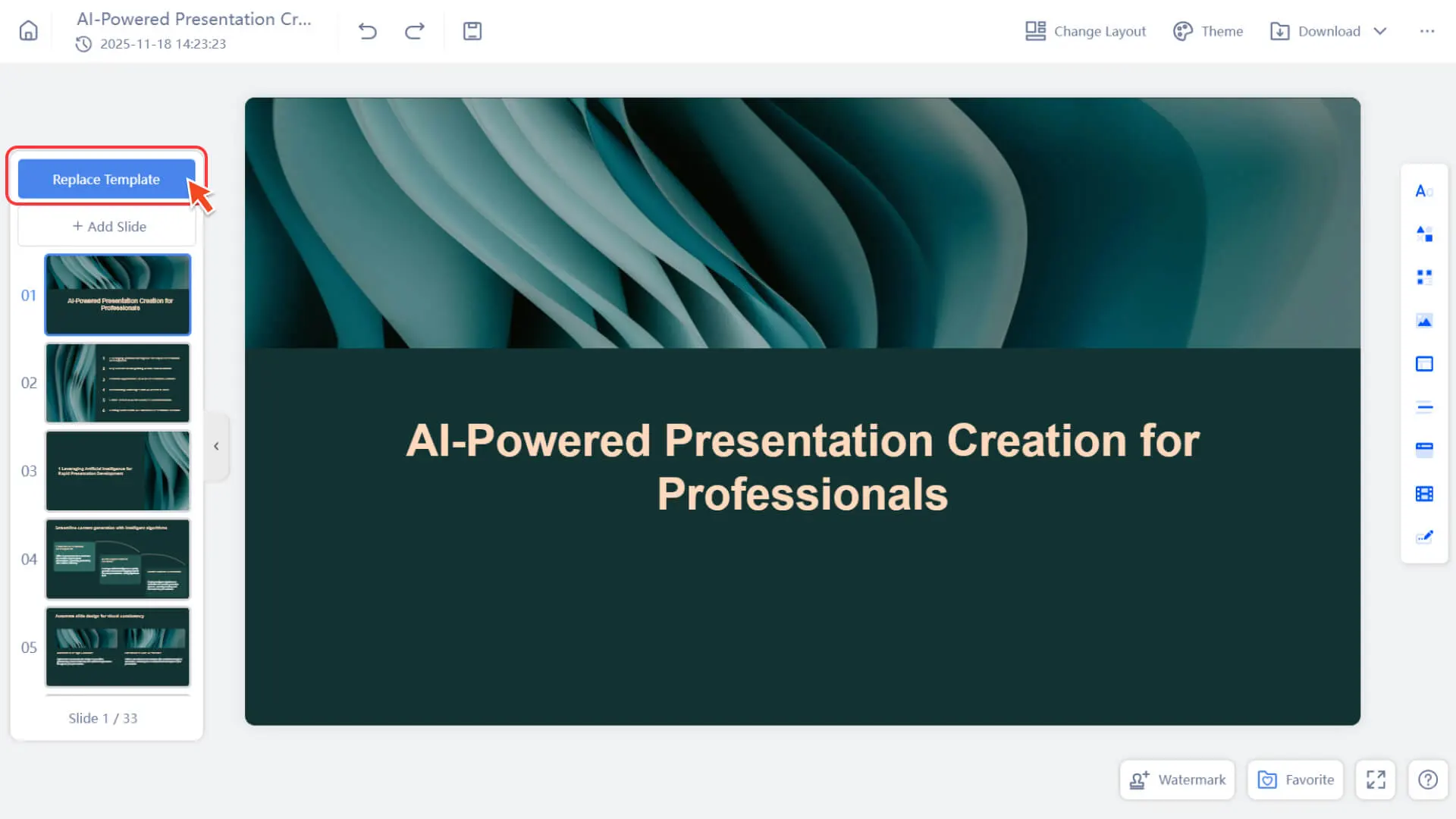
• Pop up the template list to preview the visual styles of different templates.
After replacement, all edited content on the current slide will be reset to the initially generated text. We are working hard to optimize so that some edits can be retained in the future.
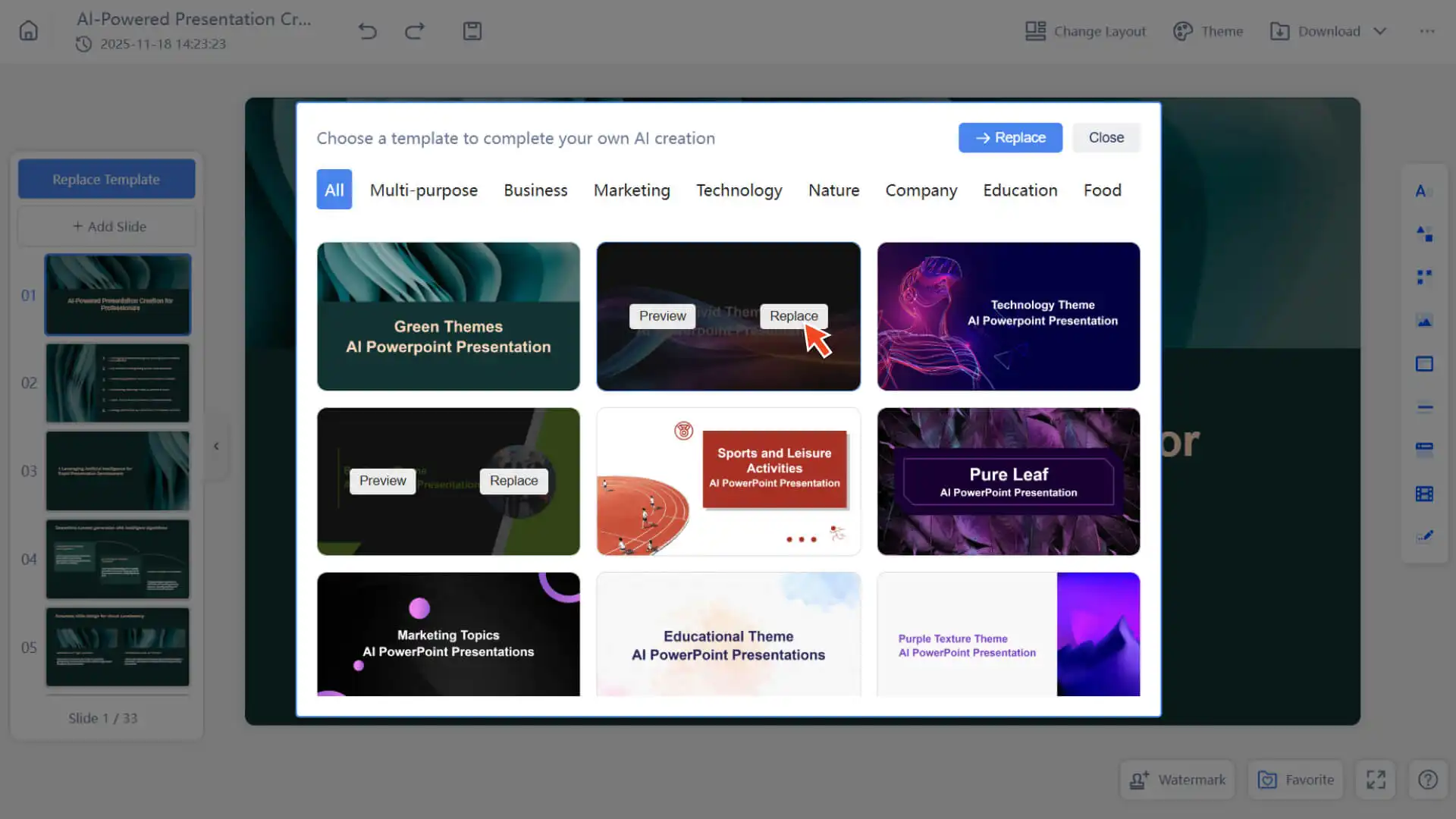
Step 3: Apply Template or Restore Version
• Click the selected template application, and the page will immediately be replaced with the new template.
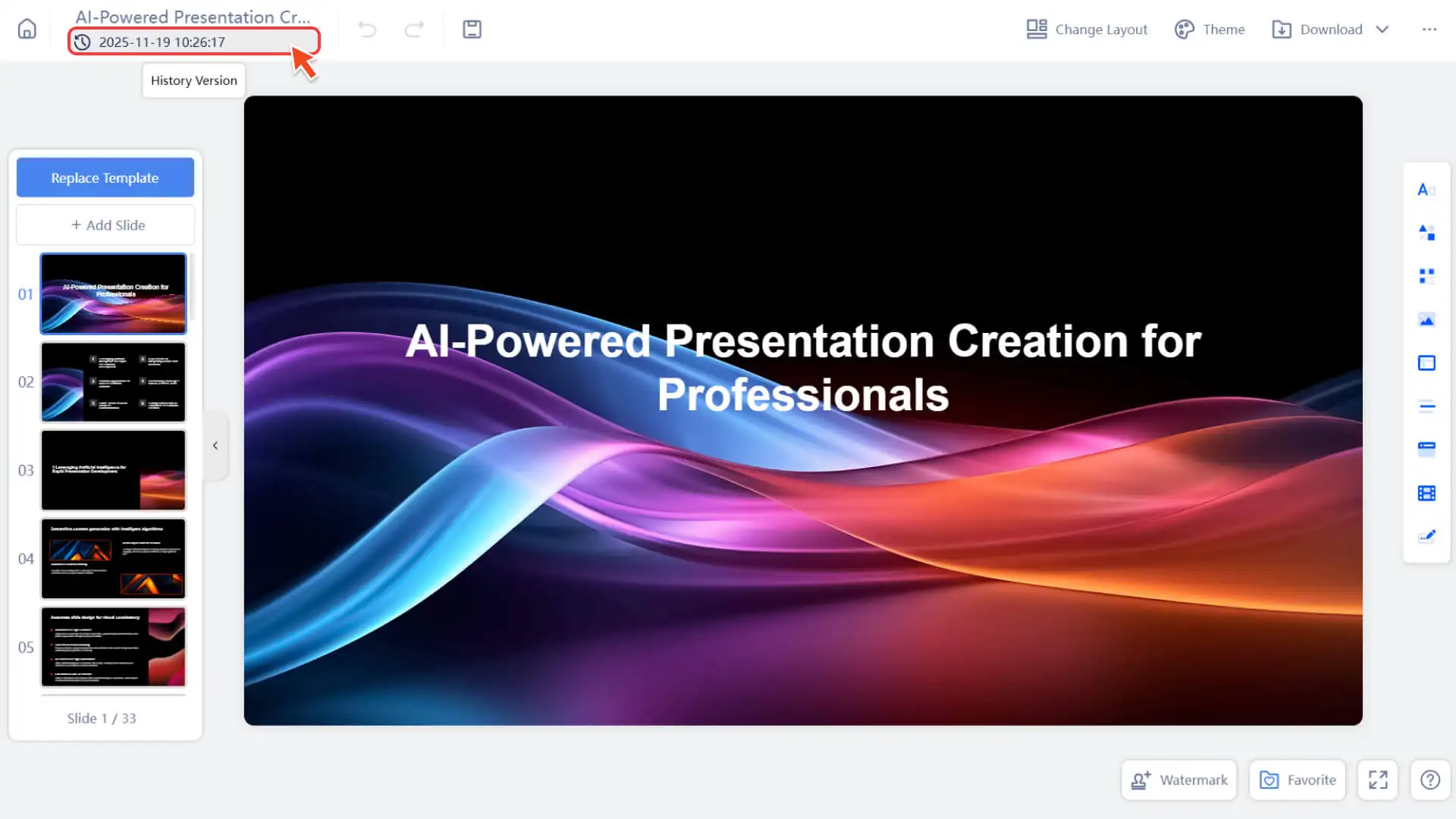
• If you are not satisfied with the replacement, you can restore to the state before the replacement through the Version History.
Frequently Asked Questions
Who can use the Replace Template feature?
- • Only presentations generated by Instant Slides support this feature.
Will replacing the template result in the loss of edited content?
- • Yes, it will be reset to the initially generated text and can be restored via Version History.
- • We are working hard to optimize this feature to retain some user-edited content in the future.
Can the Replace Template be used on mobile phones or tablets?
- • Supported. For better results, it is recommended to use this feature on the PC.