


How to quickly change your content layout?
Updated over 2 months ago
What is Change Layout?
Change Layout refers to switching the layout structure of the current page. When changing the layout, the text will automatically adapt to the new layout style, allowing you to obtain a more suitable display format without having to readjust from scratch.
• Only change the layout structure without modifying the page content
• Automatically adapts to the style and visual design of the current theme
• Only supported for use on content pages
• Not applicable to other types of pages, such as theme or chapter pages.
• Each operation only affects the current single page and does not change other slides
The layout template feature currently applies only to presentations generated by "Instant Slides" and is not yet supported for other presentation types.
How to use Change Layout?
Step 1: Open the presentation editing page
Select the "Instant Slides" mode to generate a presentation and enter the corresponding editing page.
Step 2: Open the Change Layout layout selection panel
• In the top-right navigation bar of the editor, click the Change Layout button.
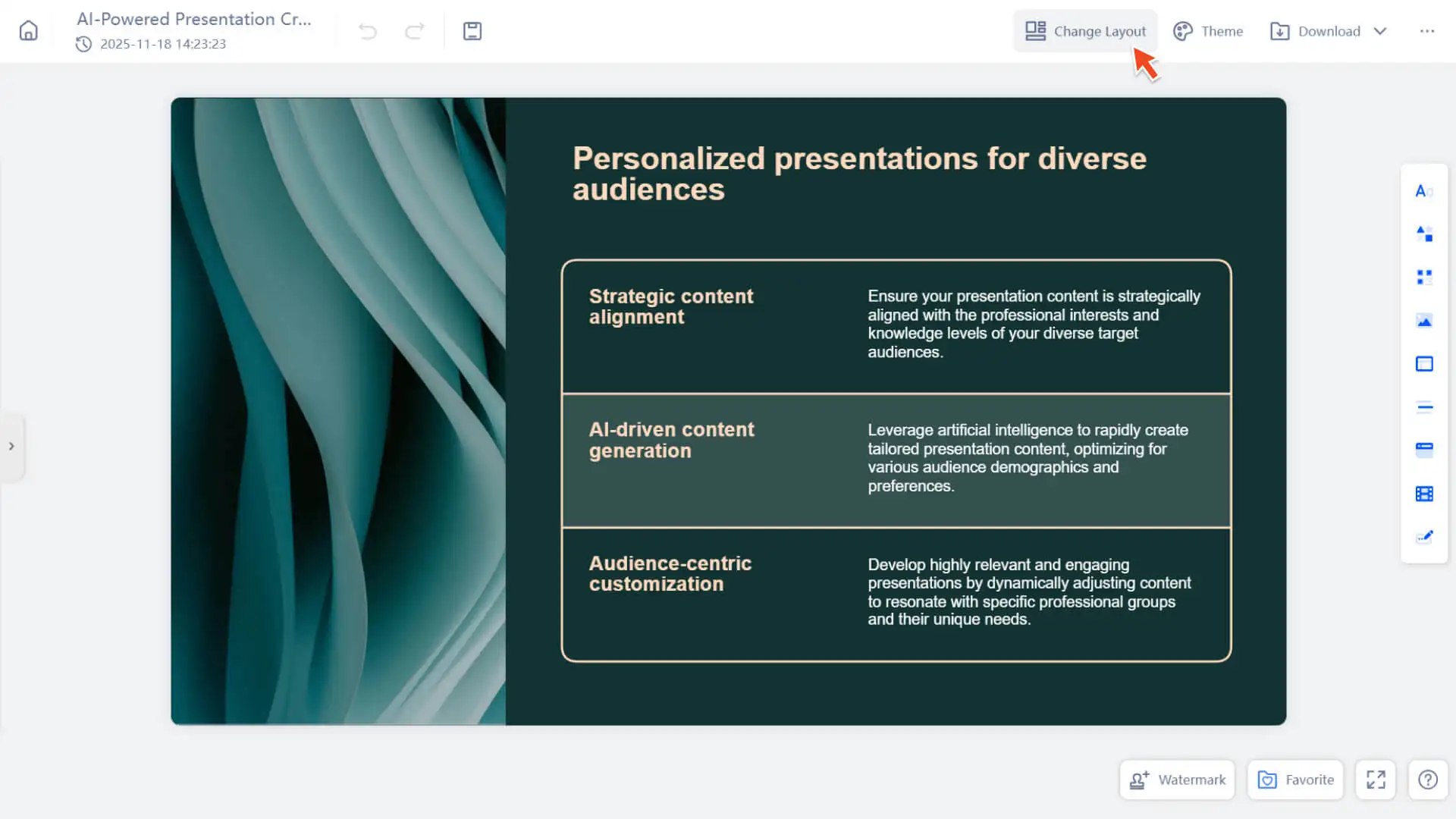
• The system will open a list of layout templates that match the content of the current slide.
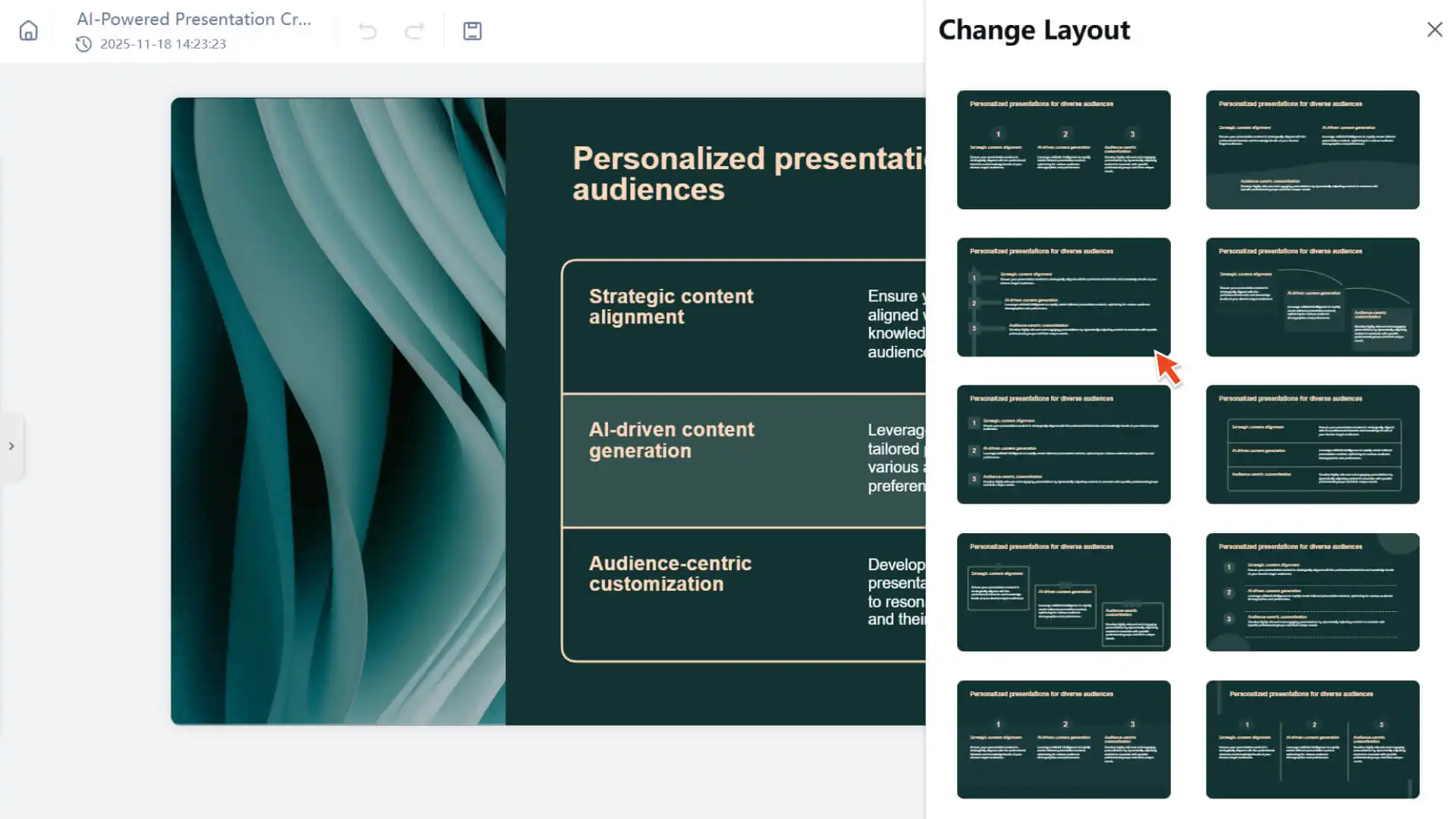
Step 3: Click Use Layout
• Click the layout you want from the pop-up layout list.
• The page will immediately apply the new layout while retaining your original content.
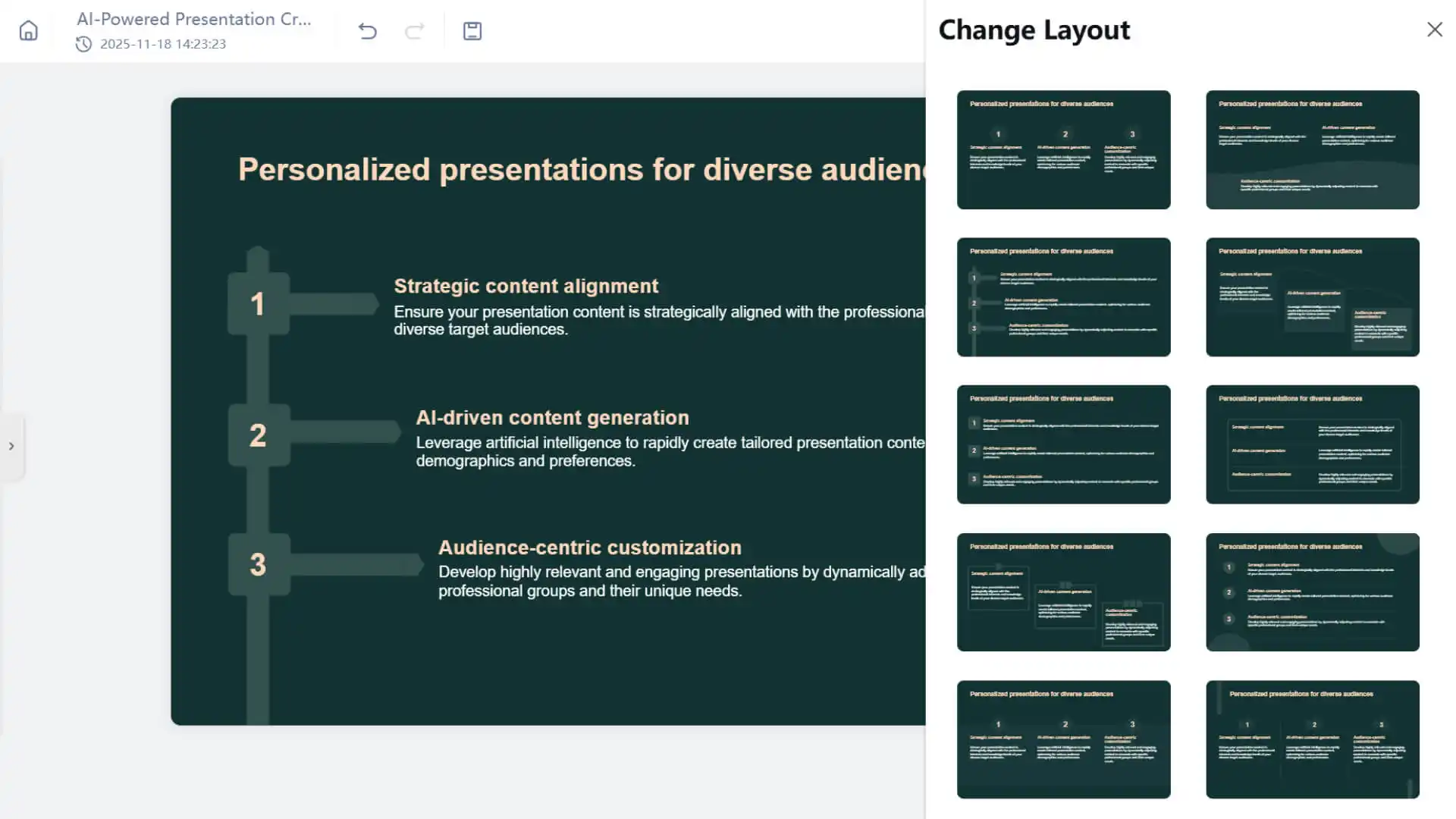
• If you are not satisfied after applying, you can undo the operation in the following ways:
◦ Windows:Ctrl + Z
◦ Mac:Command ⌘ + Z
◦ or directly click the Back button in the top navigation bar
Frequently Asked Questions
Do all templates support changing the content layout?
- • Not all templates have this feature enabled.
- • To ensure the aesthetics of the design and the accuracy of the structure, some templates do not currently support layout replacement.
Can this feature be used in all presentations?
- • Currently, this feature only takes effect in presentations generated in Instant Slides mode.
- • Presentations generated in Creative Slides Mode do not currently support layout templates.